





Why Custom Development Projects Fail After Launch
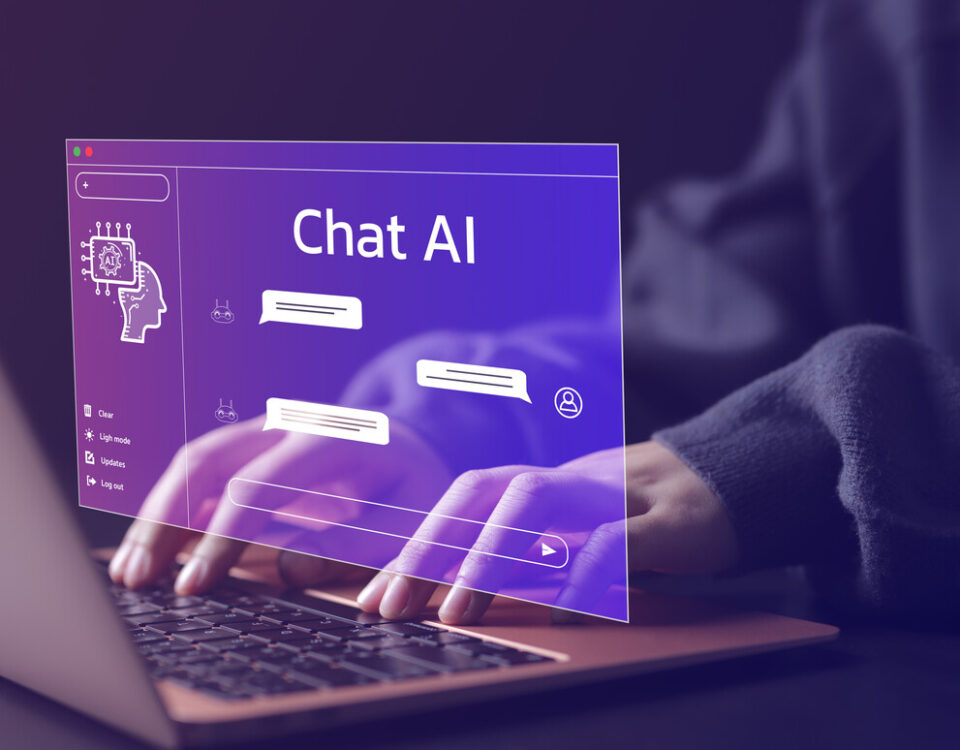
April 21, 2026A customer who already paid for your product hits a problem that would take a human ninety seconds to resolve. They open the chat widget on your site, type their question, and the bot suggests three FAQ articles that don’t quite match. They rephrase. The bot suggests the same three articles, then offers to “create a ticket.” The ticket form asks for an order number the customer can’t remember and a category that doesn’t fit. They give up, send an email to support, and tell two coworkers your help desk doesn’t work.
On the support team’s side, the email lands in the queue with no chat history attached, the agent picks it up and asks the customer for the same order number the chatbot couldn’t find, and the issue gets worked across email over a day or two instead of resolved in real time. The ninety-second problem becomes a multi-message thread, the customer is annoyed, and the support metrics absorb the cost without anyone flagging it as a chatbot failure.
The chatbot did exactly what it was built to do. That’s the problem.
Why this happens
Most chatbots are pattern-matchers wired to a static knowledge base. They take whatever the customer types, search a set of pre-written articles, and respond with whichever ones look closest. That works tolerably well for the easiest questions, the ones that map cleanly to a single FAQ entry, and it breaks down on everything else. Anything that requires knowing who the customer is, what they bought, what’s already happened in their account, or what the support team has already told them sits outside the chatbot’s view, so the chatbot can’t help with any of it.
This is the difference between a chatbot that deflects and a chatbot that solves. A deflecting chatbot is a search bar with friendlier wording, while a solving chatbot is connected to the systems where the answers live.
What “connected” means in practice
Useful customer support is contextual. The customer isn’t asking an abstract question; they’re asking a specific question about their account, their order, their device, or their plan. A chatbot that doesn’t know any of that is going to be wrong most of the time, even when its language model is excellent.
A chatbot integrated with the business looks different. It can pull up the customer’s recent orders without asking them to recite an order number, check whether the question is about a product still inside its return window or already past it, see whether the customer’s account has any open tickets so it doesn’t open a duplicate, look up whether the issue the customer is describing matches a known incident the operations team is already working, and route the conversation to the right person on the support team when the question needs a human. The conversation feels useful because the system underneath knows things, and the language model is the part that translates between how the customer phrases the question and what the systems can act on.
Where most chatbot projects go sideways
When a chatbot project gets scoped, the brief usually focuses on the model: which provider, which prompt, which guardrails. Those questions matter, but they’re roughly twenty percent of the work. The other eighty percent is integration: connecting the chat to the CRM, to the order system, to the support ticketing tool, to the knowledge base, to inventory, and to whatever escalation paths the support team uses today. None of that is glamorous, most of it doesn’t make for a good demo, and it’s also the part that decides whether the chatbot helps customers or annoys them.
There are reasonable reasons teams end up shipping the model without the integration work. The model is what leadership asks to see in the early conversations, and once the demo lands, the implicit scope becomes whatever that demo did. Integration work added on top reads as scope creep against an already-approved plan, even though it’s the part that makes the chatbot useful in production. Each connection is also its own small project, with its own data ownership questions, security review, and dependencies on whichever vendor the underlying system runs on, and the cumulative scope can run past what was originally budgeted. So the work gets deferred, then deprioritized, then dropped, and the chatbot ships as a model wired to a knowledge base instead of as a system.
The honest version of a chatbot project is largely an integration project with a conversation interface on top. Teams that don’t budget for that part end up with a tool that sounds smart in the demo and underperforms in production, and over time the support team starts directing customers around the chatbot rather than through it.
The integration is the product
MOSAIC’s AI-Powered Web Experiences practice scopes chatbots as integration projects from the start. Before any prompt gets written, the work covers what the chatbot is supposed to know, which systems it pulls from, what actions it’s authorized to take, and where the handoffs to a human go. The model is one component of the build, and the rest is plumbing: connectors to the CRM, hooks into ticketing, real-time access to the knowledge base, and an escalation path that lands in the right queue with the conversation history attached.
A chatbot built this way handles a different class of question. A customer asking about a delayed shipment gets the current status from the order system rather than a link to the shipping policy, a question about plan coverage gets a real answer from the customer’s account rather than a generic article, and a question the chatbot can’t resolve gets handed to a human who already has the conversation in front of them, so the customer doesn’t have to repeat themselves.
What the support agent sees when the handoff lands is the conversation up to that point, the customer’s account already loaded, the topics the chatbot tried to address, and the reason it escalated. The agent doesn’t have to ask for the order number, the customer doesn’t have to recap the issue, and the first message in the human portion of the conversation is the agent picking up where the chatbot left off. That’s the experience customers have been promised from “AI-powered support” and almost never get.
That’s the chatbot the support team can stand behind, and it’s the one customers stop avoiding.
How to tell it’s working
A useful chatbot has signals the team can point to, and most projects don’t ship with those signals defined. Resolution rate is the obvious one, the percentage of conversations that close without a human stepping in, but it’s only a useful number when it’s broken out by topic. A chatbot that handles billing questions well and shipping questions poorly looks acceptable in aggregate and frustrating in the moments that matter most.
Handoff quality is the second signal, whether the human picks up the conversation smoothly or starts from scratch, and the easiest way to track it is to ask the support team how often customers repeat themselves after escalation. If the answer is “usually,” the integration isn’t doing its job, and no amount of tuning the model will fix it. The third signal is the cases where the chatbot got it wrong, where it confidently answered a question the customer’s account or order history would have contradicted. Those should be reviewed regularly, not because the model is going to be perfect, but because each one points at where the integration needs another connection or where a guardrail needs tightening.
The point of measurement isn’t to grade the chatbot. It’s to keep the system improving in the direction the support team and the customer need it to.
Where to start
If your chatbot is sending customers in circles, the model probably isn’t the issue, and replacing it with a different model won’t fix the underlying problem. The chatbot is disconnected from the systems where the answers live, and connecting it is a project, not a setting.
MOSAIC’s AI Opportunity Assessment looks at where AI can help the support experience, what your existing systems can support, and how to scope the integration work so the chatbot ships as something the support team trusts. It’s a practical way to move from a chatbot that frustrates to one that resolves.
About MOSAIC
MOSAIC® is an integrated technology solutions provider serving enterprise, government, and growing organizations across the Mid-Atlantic region and beyond. Combining infrastructure expertise, experience design, and performance optimization, MOSAIC delivers unified technology solutions that drive business results. Founded in 2001 and headquartered in Gaithersburg, Maryland, the company maintains facilities across Maryland, Virginia, and Washington DC. For more information about MOSAIC’s integrated technology solutions, visit mosaicpowered.com or call (240) 299-3900.